

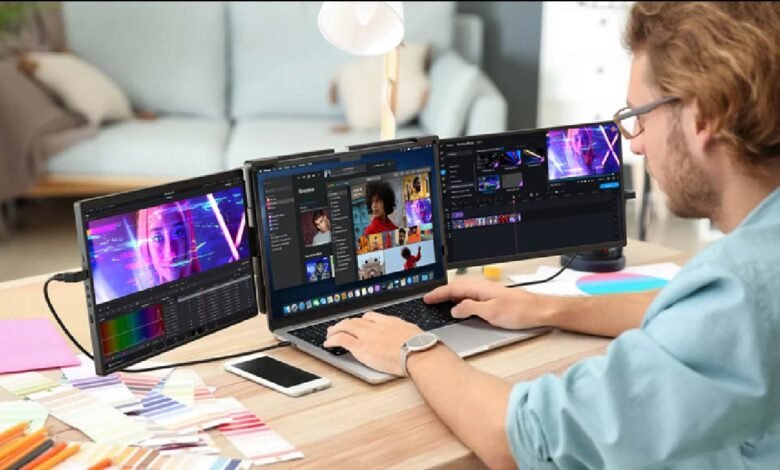
Shopping for a second screen used to mean picking between a handful of bulky desktop options, but the market has shifted dramatically toward displays built specifically to travel. With so many models now available at different price points and spec levels, choosing the right one comes down to understanding a few key factors rather than just picking whichever option appears first in a search result.
Why Screen Size Is the First Decision to Make
Every portable monitor purchase should start with screen size, since it affects both how the display feels to use and how easily it fits into your daily bag. Smaller panels around thirteen inches are the lightest and most compact option, ideal for anyone prioritizing portability above all else. Larger fifteen to seventeen inch panels offer a closer experience to a full desk setup, giving more room for detailed work, but they add noticeable bulk and weight to a bag that has to be carried around all day. Matching this decision to how often and how far the monitor will actually travel prevents buyer’s remorse down the line.
Resolution and Panel Quality
Resolution has a direct impact on how sharp text and images appear, and it matters more for some tasks than others. A standard 1080p panel is more than sufficient for general browsing, writing, and video calls, while higher resolution options such as 2K or 4K make a real difference for detailed design work, photo editing, or anyone who spends long hours reading dense text. Panel type also affects color accuracy and viewing angles, with IPS panels generally offering better color consistency than cheaper alternatives, which matters for anyone doing color sensitive work like photo or video editing on the go.
Connectivity and Power Options
How a display connects to your laptop can make or break the daily experience of using it. USB C connections that carry both video and power through a single cable are by far the most convenient option, cutting down on the cable clutter that comes with older HDMI plus separate power setups. It is worth checking whether a specific laptop supports video output over USB C before assuming compatibility, since not every laptop model does. For those using older devices, an HDMI connection paired with a separate USB power cable remains a reliable fallback, though it does mean carrying an extra cable in your bag.
Weight, Build Quality, and Portability
The whole appeal of this category depends on how easily a display fits into daily life, so weight and build quality deserve real attention. Most portable monitors weigh between one and two pounds, and even small differences add up when a device is being carried daily alongside a laptop, charger, and other gear. Build quality also affects long term durability, particularly for anyone who travels frequently or works from multiple locations throughout the week. A sturdy hinge, a protective case, and a stand that holds its position reliably are all details that matter more after months of regular use than they do on the first day out of the box.
Brightness and Anti Glare Features
Anyone who plans to use their display outdoors, near windows, or in brightly lit coworking spaces should pay close attention to brightness ratings. A dim panel that looks perfectly fine in a dark room can become nearly unreadable in daylight, which is a common complaint among buyers who did not check this spec closely enough. An anti glare or matte finish coating also helps reduce reflections, which matters a lot for anyone regularly working near natural light.
Matching a Monitor to How You Actually Work
Buying decisions become much easier once you think about the specific way you plan to use the display rather than chasing the highest specs available. Someone using it mainly for video calls and document review can prioritize a lighter, more affordable model, while someone doing color sensitive creative work or extended screen time each day benefits more from investing in a higher resolution, better built panel. Thinking through your actual daily workflow before comparing spec sheets tends to lead to a far more satisfying purchase than shopping by price alone.
For buyers who want a reliable starting point, well established brands such as UPERFECT offer a range of models spanning different sizes, resolutions, and price points, making it easier to find an option that matches your specific needs without having to compare dozens of lesser known alternatives from scratch.
Price Ranges and What You Actually Get
Portable monitors span a wide price range, and understanding what that difference actually buys makes comparison shopping much easier. Entry level models typically cut costs on panel quality, brightness, and build materials, which is fine for occasional use but can feel limiting for daily work. Mid range options usually add better color accuracy, a sturdier stand, and improved brightness, striking a reasonable balance for most buyers. Premium models push further into higher resolution panels, thinner designs, and additional features like touch support or built in speakers, aimed at buyers who use their second screen every day and want it to hold up over years of regular travel.
Frequently Asked Questions
What screen size is best for everyday use?
A fourteen to fifteen inch panel offers a good balance between portability and usable screen space for most everyday tasks like browsing, writing, and video calls.
Do I need a 4K portable monitor?
Only if your work involves detailed design, photo editing, or similarly demanding tasks. For general use, a 1080p panel is sharp enough and easier on both budget and battery life.
Can a portable monitor run without a separate power source?
Many models can draw power directly from a laptop’s USB C port, though this depends on the laptop’s own power output and is worth confirming before purchase.
Final Thoughts
Choosing the right portable monitor comes down to matching its size, resolution, and connectivity to how and where you actually plan to use it. Taking a few extra minutes to compare these details before buying makes it far more likely you end up with a display that becomes a permanent part of your daily setup rather than one that gets left in a drawer after the first few uses.
